Learn Drum - Pad & Beat Maker
- 4.4
- Rating
- 10.00M
- Installs
- Free
- Price

 Analysis by App-foxy
I tried Learn Drum - Pad & Beat Maker as a quick way to put rhythm under an idea, and my first impression was pleasantly direct: it wants you to tap, listen, and make something without turning the phone into a complicated recording studio. It is a free music and audio app from WorkPlay Space, aimed at people who want a simple drum simulator and beat-making experience rather than a full production workstation.
That focus matters. There are plenty of mobile music tools that greet new users with timelines, mixers, sample libraries, effects, and menus. This app takes a smaller step. You open it, interact with drum pads, and start exploring rhythm almost immediately. I found that especially useful when I wanted to test a beat during a short break, sketch a pattern before forgetting it, or let someone with no musical background try making a groove.
The app has a 4.4 average from around eighteen thousand ratings and has passed ten million installs, so it is clearly reaching a broad audience. It is rated for Everyone, which fits its approachable design. Still, popularity does not make it the right choice for every musician. My experience suggests that its strongest role is as an accessible rhythm playground and a lightweight idea-capture tool, not as a replacement for a serious digital audio workstation.
You May Also Like

 Blood Strike: 2.5 Anniversary
Blood Strike’s Loadouts Turn Every Drop Into a Tactical Gamble
A close look at Blood Strike’s custom loadouts: how fast access to signature weapons reshapes its battle royale rhythm, rewards preparation, and narrows the gap between fights.

 Pandora - Music & Podcasts
Pandora’s Music Is Easy to Start, but Harder to Recover
Pandora’s strength is its low-effort path from a seed to a station. Its weak spot is how much confidence it asks you to place in connection, setup, and quiet recovery.

 8 Ball Pool
 Is Built on Rivalries, Rematches, and Routine
A close look at the rivalries, rematches, shared routines, and unanswered safety questions that turn a quick pool match into a persistent mobile community.

 Samsung Music
’s Quiet Strength Is Playing What You Already Own
Its reach comes less from spectacle than from dependable access to a personal library. That simplicity is both the app’s strongest retention engine and its ceiling.

 AccuWeather: Weather Radar
AccuWeather Review: A Quick, Clear Forecast for Everyday Decisions
For everyday plans, the best forecast is the one you can understand quickly. AccuWeather makes rain timing, radar, and local conditions easy to act on, with a few trade-offs.

 Hill Climb Racing
Why Hill Climb Racing Still Turns Crashes Into One More Run
A tiny car, a bumpy hill and one more upgrade: Hill Climb Racing keeps resurfacing because its simple chaos makes every near-miss feel personal.
More From Our News Desk
View All News


How the current version feels in everyday use
I find the current version most useful when I keep a session small: build one pulse, test a change, and record a short take before the idea drifts. On a shared phone, that approach also makes it easier to hand the device to someone else without turning a quick music break into a long, confusing session. Next, I’d think about a few simple boundaries that help each person use the app comfortably.
A low-friction starting point for rhythm
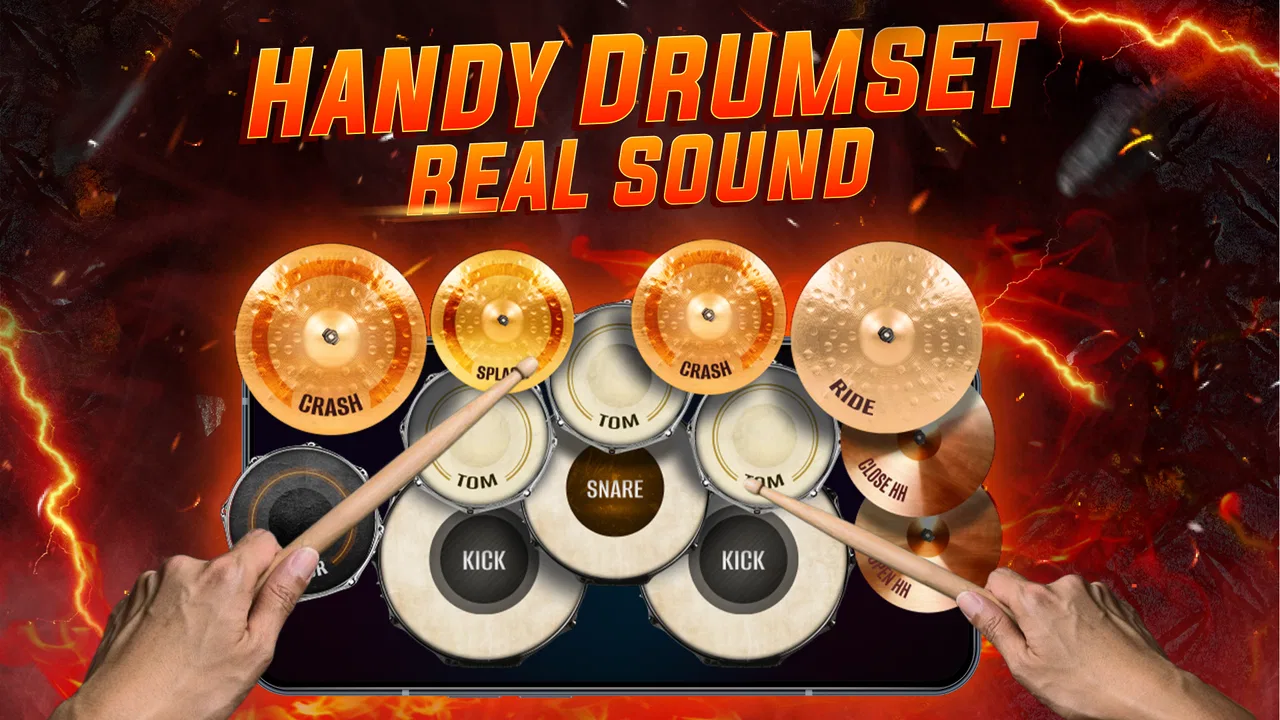
The central appeal is the physical feeling of tapping pads. Instead of beginning with theory, you begin with action: choose a sound, tap a surface, hear the result, and adjust your timing. That makes the app a friendly entry point for someone who has never sat behind an acoustic drum kit. It also works for experienced users who want to check a rhythm with their fingers before opening a larger music application.
I particularly liked the way this approach reduces hesitation. In a conventional music app, I can spend more time deciding which track, instrument, or preset to create than actually playing. Here, the pad layout gives the interaction a clear purpose. A few taps can become a basic pulse, while alternating between sounds helps reveal whether an idea has enough movement.
The experience is best when I treat it as an instrument rather than a complete song-making environment. That distinction prevents disappointment. It is good for exploring kick-and-snare relationships, adding a simple accent, or finding a starting rhythm for a later project. It is less suitable when I need detailed arrangement, deep sound design, or a polished mix prepared entirely on the phone.
Recording changes the app from toy to useful notebook
The ability to record audio gives the app a practical purpose beyond tapping for a few seconds. I can play a pattern, preserve the result, and return to it later instead of trusting my memory. That is valuable because small rhythmic ideas often feel obvious in the moment and disappear as soon as the phone is put away.
A realistic use case is writing lyrics or a melody on a commute. I might create a simple beat that matches the mood, record it, and use the recording as a reference when I have access to a fuller setup. I would not expect that clip to replace a properly arranged backing track, but it can capture the timing and energy of an idea before they are lost.
There is also a useful teaching angle. A beginner can record several attempts at the same pattern and listen back to notice uneven timing. That turns casual tapping into a basic practice loop. The app does not need to judge the performance for this to work; hearing the difference between a steady beat and a rushed one can already be instructive.
Who benefits most from this design
I would recommend it first to beginners, casual beat makers, singers who need a quick rhythmic guide, and parents looking for an uncomplicated music activity for an age-appropriate device. It can also suit producers who want a pocket sketchpad for rhythm ideas, provided they are comfortable transferring the concept to another tool later.
The Everyone rating makes the app broadly approachable, but that should not be confused with professional depth. A child can enjoy tapping pads, while an adult beginner can learn basic coordination and repetition. At the same time, someone already working with multitrack arrangements may find the experience too narrow. The app’s simplicity is its advantage and its boundary.
What I would do before recording a keeper
My most useful workflow is to start with a deliberately slow, simple pattern instead of trying to fill every available beat. I establish the main pulse, add one contrasting sound, and then record only after the rhythm feels repeatable. This makes the recording easier to evaluate and leaves room for a later melody or vocal part.
I also suggest making several short takes rather than one long session. Short recordings are easier to compare, and they make it clearer whether a change actually improves the groove. If a pattern sounds exciting only because of constant tapping, trimming the idea down often reveals whether it has a strong foundation.
Another practical habit is to use the app for arrangement decisions, not just sound selection. I can test whether a chorus should feel busier than a verse, or whether a pause creates more impact than another hit. Those decisions are possible with a simple pad-based tool and often matter more than having a large collection of sounds.
How it compares with familiar alternatives
Compared with a full mobile workstation, Learn Drum - Pad & Beat Maker is easier to enter but much less ambitious. A workstation is the better choice when I need several instruments, detailed editing, effects, structured song sections, or a final export workflow. Its learning curve is higher, but it offers room to grow that this app intentionally does not appear to prioritize.
Compared with a metronome, this app is more playful and expressive. A metronome is better for strict tempo practice, while tapping drum pads helps me feel a groove and experiment with accents. If my only goal is keeping time during instrumental practice, a dedicated metronome may be more focused. If I want to discover a beat, the pad approach is more inspiring.
Compared with a hardware drum pad, the phone is cheaper and more convenient to carry, but touch controls cannot provide the same physical response or playing surface. I would choose hardware for regular performance practice and the app for spontaneous ideas, casual experimentation, or a first introduction to drum patterns.
What the release information tells existing users
The app was released on September 21, 2023, and the current version is 1.0.56. That version context is useful when deciding whether to install it today: this is not merely an abandoned first experiment frozen at launch. There has been enough product life for the app to reach a substantial audience, while the version number also reminds me that mobile music apps can continue changing through updates.
I would not read the current version as a promise of a particular future direction. What I can judge now is the established concept: a straightforward drum simulator, beat maker, and audio-recording tool. Existing users who already enjoy that focused workflow should find the app’s identity easy to understand. New users should install it expecting a compact rhythm tool, not a hidden studio with every professional feature.
The minimum operating system is Android 8.0, which keeps the app available to many older devices. That is helpful for families and users who do not replace phones frequently. It also makes the app a reasonable option for a spare device used for music practice. On any phone, though, the quality of tapping will depend on the screen and the device’s audio behavior, so I would test the responsiveness before relying on it for a live performance.
Where the experience still has limits
The biggest limitation is the narrowness that makes the app approachable. I can create and record a rhythm, but anyone looking for a complete production chain may quickly want more control. Detailed timing correction, layered arrangements, advanced effects, and a broad mixing workflow are the kinds of needs that usually push users toward a larger music application.
Recording is useful, but recording alone does not automatically create an organized project. I would treat saved audio as a sketch or reference unless the app’s current workflow meets my personal archiving needs. For important ideas, I would keep a clear naming habit and back up anything I cannot afford to lose through whatever normal device workflow I already trust.
There is also a creative limitation in relying on touch pads. Finger tapping can feel immediate, but it is not the same as playing a real kit. Subtle dynamics, rebound, and physical coordination are represented differently on a screen. That is not a flaw for a casual beat maker, but it matters if the goal is serious drumming technique.
The free price makes trying it easy, although in-app purchases range from $3.99 to $16.99 per item. I would begin with the free experience and decide whether the available workflow already solves my problem before paying for anything. The presence of purchases means users should pay attention during the app’s own purchase flow, especially when sharing a device with children.
Questions I would ask before installing
Can a complete beginner use it without knowing drum notation? Yes, that is one of its strongest qualities. The pad interaction lets users learn by listening and repeating. I would still recommend starting with a very small pattern, because trying to play too many parts at once can make the first session feel messier than it needs to be.
Is it suitable for recording a finished song? I would say it is better for capturing rhythmic ideas than completing a full production. Someone who only needs a beat under a voice memo may be satisfied, while a songwriter planning a polished release will probably want to move the idea into a more capable audio environment.
Can it replace drum lessons or a real kit? No. It can help with basic pulse, repetition, and creative confidence, but it does not reproduce the physical technique of acoustic or electronic drums. I see it as a supplement for experimenting between lessons, not as a complete training system.
Is it useful without being a musician? Definitely. The app’s value does not depend on already knowing complex rhythms. It can be used to make a playful loop, test a spoken-word idea, or simply understand how different drum roles fit together. The best results come from listening critically rather than tapping randomly.
Should an experienced producer choose it over a workstation? Usually not if the producer needs editing depth or a finished mix. I would choose it only when speed and portability matter more than control: for example, when an idea appears away from the studio and I want a rhythmic reminder immediately.
What I would watch as the app evolves
For future updates, I would pay attention to whether the developer preserves the quick start while improving the path from a tap session to a reusable musical idea. The most valuable progress would be anything that makes recordings easier to organize and ideas easier to continue elsewhere, without burying the pad experience under menus.
I would also watch how well the current version serves both ends of its audience. Beginners need clarity and forgiving interaction, while returning users need reasons to keep experimenting after the novelty fades. Those goals can conflict: adding more controls may help advanced users but make the first session intimidating.
For now, my advice is simple. Install it if you want a low-pressure way to explore drum patterns, make quick rhythmic sketches, or introduce someone to beat making. Skip it if you need a complete studio, realistic drumming technique, or detailed control over a finished production. Its real strength is turning a spare minute into a playable rhythm, and that focused purpose is more convincing than pretending it can replace every other music tool.
WorkPlay Space has built an accessible music and audio app with a clear center of gravity. The free entry point, Everyone rating, broad device compatibility from Android 8.0 onward, and current 1.0.56 release make it easy to try. I would keep my expectations grounded, but I would also keep it installed for those moments when a beat arrives before a full studio is available. For casual creators and beginners, that can be enough to make Learn Drum - Pad & Beat Maker genuinely worthwhile.
FAQs for Learn Drum - Pad & Beat Maker
01What is Learn Drum - Pad & Beat Maker?
Learn Drum - Pad & Beat Maker is a mobile music app designed for users who want to practice drum patterns, experiment with beats, and create simple rhythms using a virtual pad interface. It combines interactive drum-pad controls with learning-oriented features, making it suitable for beginners as well as casual music enthusiasts who want to explore percussion without owning a physical drum kit.
02Is Learn Drum - Pad & Beat Maker suitable for complete beginners?
Yes, the app is aimed largely at beginners and provides an accessible way to understand basic drum sounds, timing, and rhythm construction. New users can tap individual pads to learn how different percussion instruments sound, then combine them into short patterns. However, it should be viewed as a practice and experimentation tool rather than a complete replacement for formal drum lessons or a real electronic drum set.
03Can I create and save my own beats in the app?
The app is primarily built around tapping pads and arranging drum sounds into playable rhythms. Depending on the version installed and the device being used, available options may include recording, replaying, or saving created patterns. Users should check the current app description and permissions before downloading, because export formats, cloud backup, and sharing features can vary between updates and may not be included in every release.
04Does Learn Drum - Pad & Beat Maker work offline?
Basic pad playing and beat practice may work without a continuous internet connection once the application and its required resources have been installed. Internet access can still be necessary for downloading the app, displaying advertisements, checking for updates, or using online sharing and additional content. If offline use is important, it is best to test the main features after installation while the device is in airplane mode.
05Is Learn Drum - Pad & Beat Maker free to download and use?
The application may be available as a free download, but the exact experience can depend on the platform, region, and current version. Free apps can include advertising, optional purchases, locked sounds, or premium tools. Before installing, review the store listing for pricing, in-app purchase details, supported devices, and privacy information. This will help you understand whether the free version provides enough features for your intended beat-making practice.
Pros
- Beginner-friendly layout makes beat creation easy to start.
- Includes multiple drum sounds for varied rhythm styles.
- Pads respond quickly
- supporting real-time finger drumming.
- Useful for practicing timing and building basic rhythm skills.
- Compact design works well for quick music-making sessions.
Cons
- Advanced producers may find the editing tools too limited.
- Some sound packs or features may require in-app purchases.
- Small screens can make precise pad tapping less comfortable.
- Audio quality may depend heavily on the device’s speakers.
- Ads can interrupt the experience in the free version.

Learn Drum - Pad & Beat Maker
Gallery